Use cases
What you can do with Vigito today
These scenarios come from flows that work in Vigito today. For each one we describe the problem, what Vigito does and the outcome.
A pull request adds a package with a known vulnerability
- Problem
- A change adds a package version with a known vulnerability to package.json. In code review, that one line is easy to miss.
- What Vigito does
- When the pull request opens, Vigito reviews the change and the dependencies it brings in. It adds the finding to the workspace with the file and line, and writes the result back as a GitHub check on the reviewed commit. If your installation permissions and settings allow it, it also comments on the pull request.
- Outcome
- Before merging, the team sees the affected version, where it is and the suggested fix.
User input ends up in a SQL query
- Problem
- In a new search feature, the query is built by pasting a request value into a string. The tests pass and the problem is not obvious at first glance.
- What Vigito does
- Vigito reviews the pull request diff with AI assistance and lists what it finds with the file, line range, severity and confidence. When you change a finding's status in the workspace, the change is added to the finding's history.
- Outcome
- The reviewer knows where to look and how to fix it, and your decision is kept with the finding.
Assessing your own server within the scope you signed
- Problem
- You want to check how a server looks from the outside, and the scan has to stay limited to that server and the connections you pick.
- What Vigito does
- You add the server's public IP address and prove access by publishing a one-time code on it. Then you sign an authorization that sets which connections may be scanned, with which profile and for how many days. Vigito checks that scope again before the scan starts and while it runs. If you revoke the authorization, the work stops.
- Outcome
- The scan stays limited to the address and ports you approved. Server findings show up in the same list as your code findings.
Showing who did what, under which authorization
- Problem
- A manager or a customer asks who started a scan, which authorization it relied on and what happened to the findings afterwards.
- What Vigito does
- Events such as signing an authorization, scans, finding status changes and report requests go into an append-only, hash-chained audit log. Owners, admins and auditors can read it, verify the chain and export it as JSONL. You can also generate a PDF report for the records you select.
- Outcome
- You answer from the record. A report gives evidence about the selected records; it does not stand in for a compliance assessment.
Product walkthrough
From a repository to the audit log in four steps.
Example screens. They were captured from a local copy of the Vigito web app using example data: Demo Org, example.com and 203.0.113.10, an address reserved for documentation. They contain no real customer data.
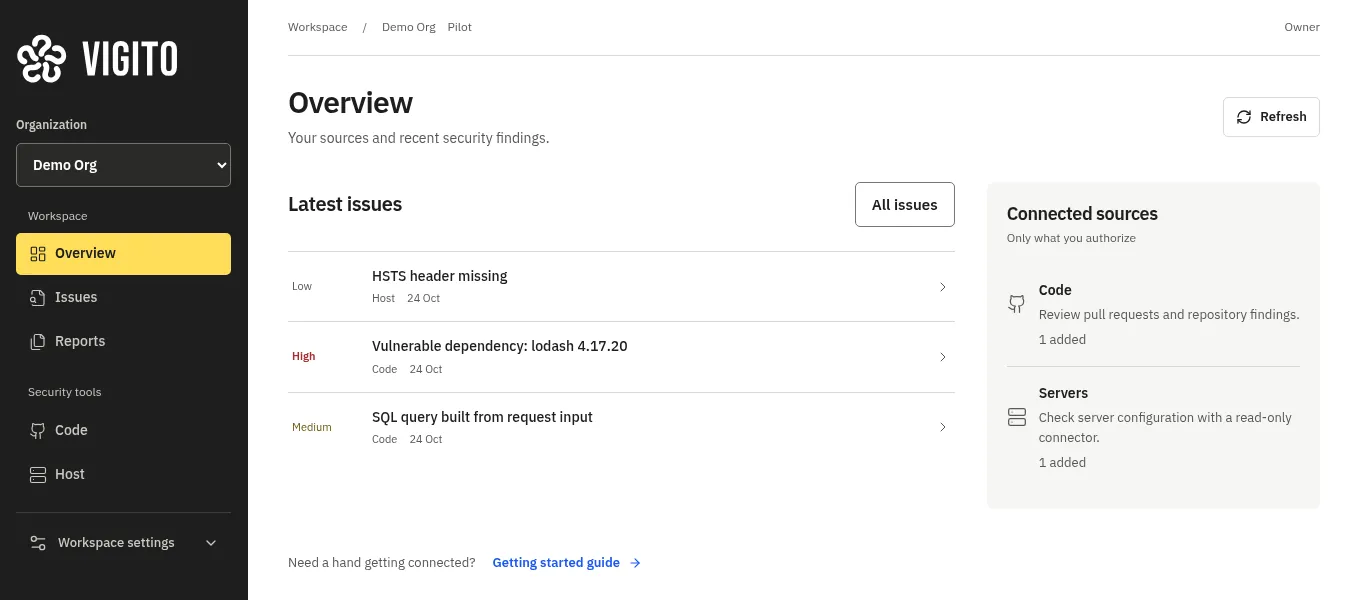
Connect your sources
The overview shows the repositories and servers you connected and the latest findings on one screen. Vigito only looks at the sources you connect.
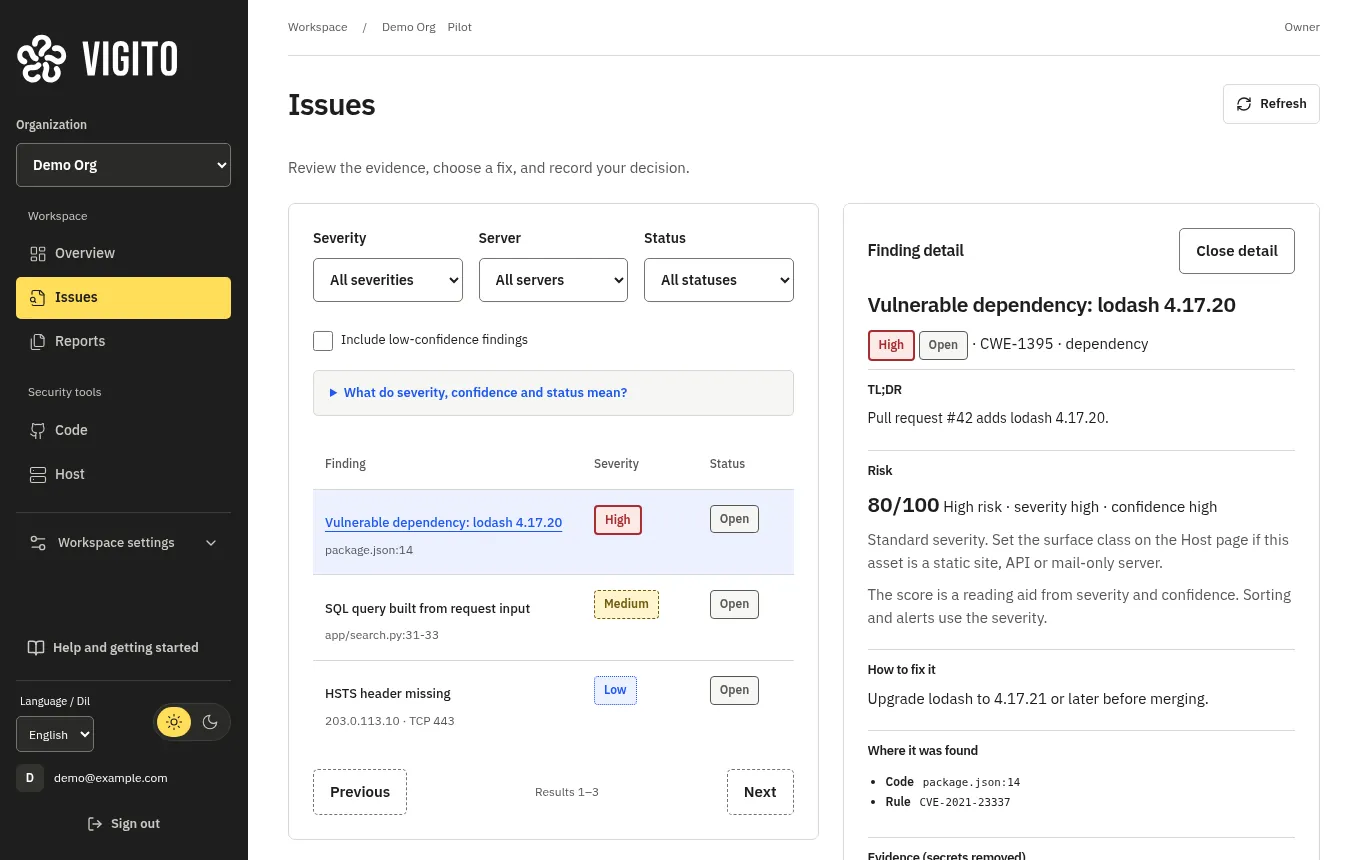
Review a finding
The dependency issue found in the pull request opens with its severity, file and line, rule and suggested fix.
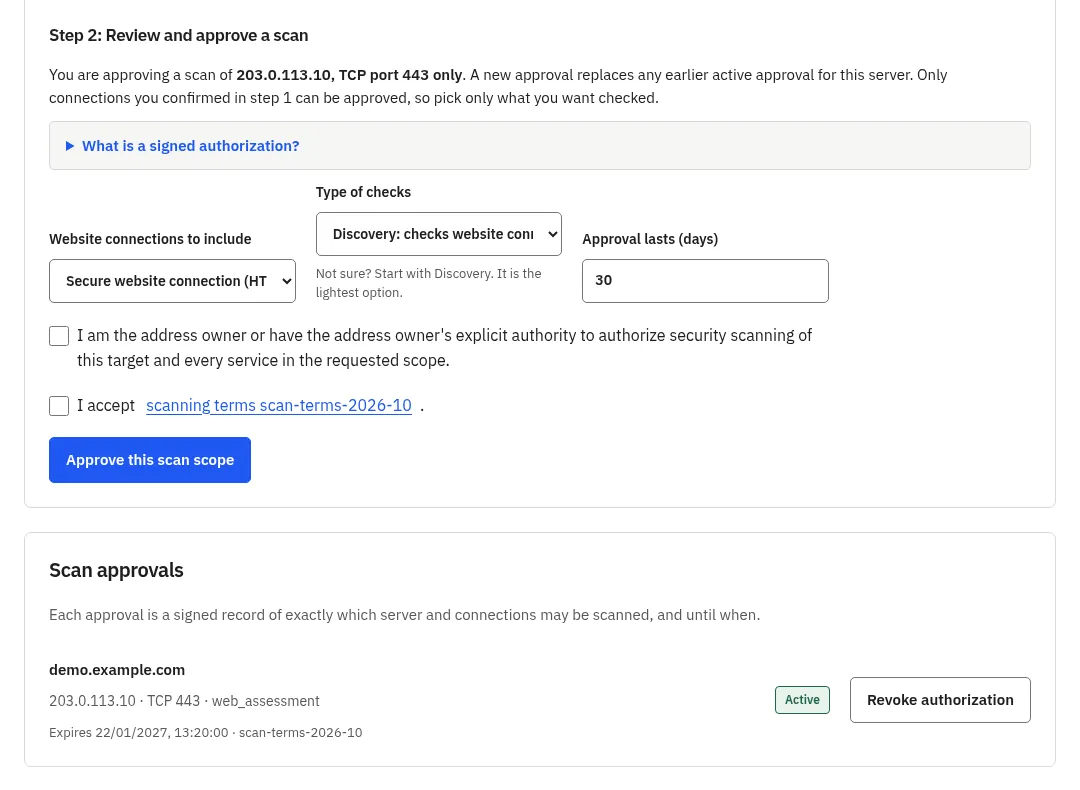
Approve the scope
Once access to the server is proven, you pick the connection, the type of checks and the duration, then sign the authorization. Active approvals stay listed and can be revoked at any time.
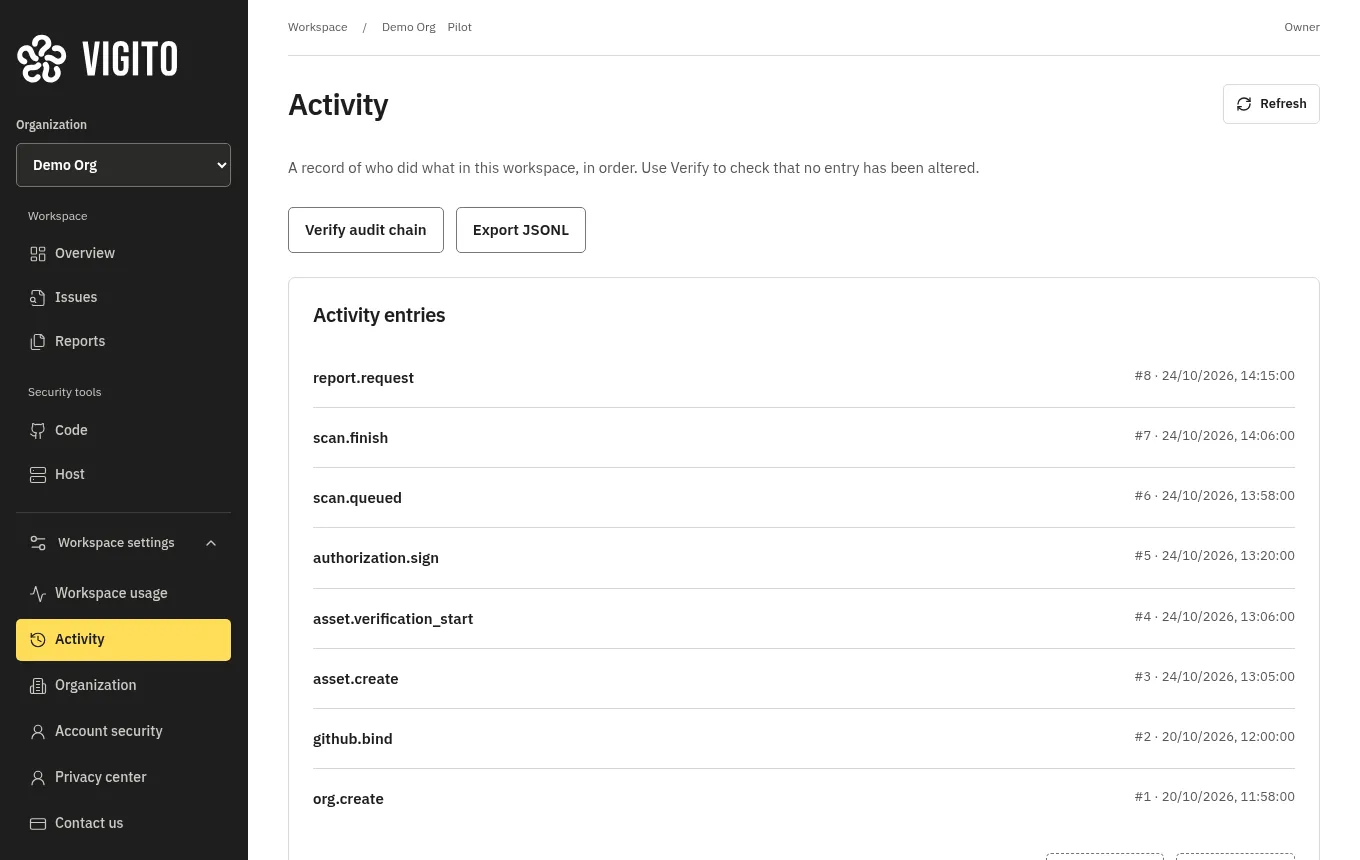
Follow the record
The activity screen lists the steps in order. You can verify the chain and export the log from here.
See a demo.
Vigito is currently running as a controlled pilot. If you'd like a pilot demo for your team, write to us and we'll find a time.